Cyprus Comic Con 2026 Trailer
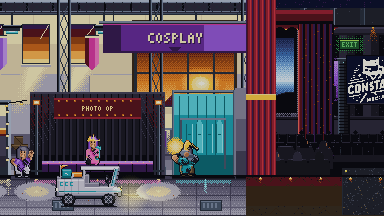
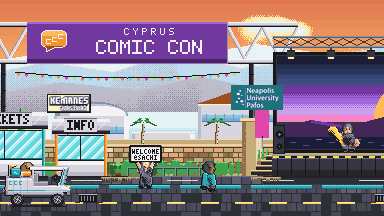
ABL Films sponsors Cyprus Comic Con every year with their entire media production and coverage. This year, we had the pleasure of creating a unique trailer for them: a Neo Geo-inspired pixel art trailer, produced entirely within the limitations of the classic 16-bit video game era. Produced natively in 384 x 216 resolution, with a limited palette of 66 colours, and absolutely no generative AI.
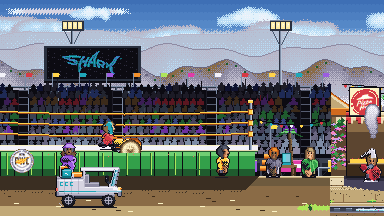
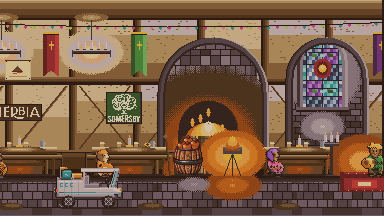
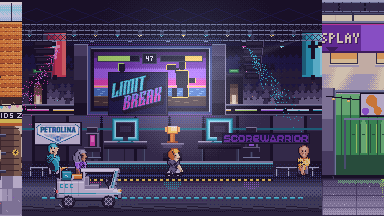
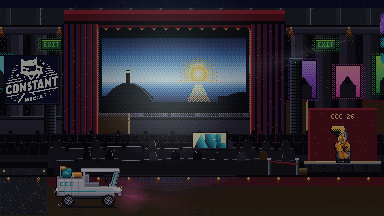
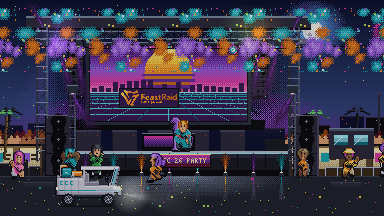
Between a constant live music stage, Cyprus's largest street food court, an artist alley with over 150 artists, wrestling, film festival and esports, cosplay competitions, an entire medieval tavern, CCC is a hugely varied event, and the challenge they have every year is how to convey the amount of stuff to experience. To solve this, we came up with the concept of an uninterrupted walk through the event spaces, starring Buggy Boop Boop, the CCC social media mascot.
We drew the base art by hand, with 67 unique sprites, walk cycles, backgrounds, eleven zones of the venue, all within the limitations of old-school gaming hardware, accompanied by custom era-appropriate music from an amazing local chiptune artist; and developed an extensive in-house software to put it all together, all within two weeks.
Behind The Scenes
We drew everything in Pro Motion NG, at the native size: the base sprites and their cycles, every head, every hair style, every garment cut, every prop from a violin to a wrestling belt, and every background across the eleven zones, down to the cart, the entrance arch, the ring and the tavern hearth.
Programmatically, one drawn cycle becomes 67 characters across four body builds, each with its own skin, hair, clothing, headgear and prop, and every one of them arrives re-posed, re-lit, outlined, dithered and palette-checked. The shading passes, the palette packing, the sky and the camera track were all done in code.
A head is a 12 × 12 pixel grid, one per hair style, drawn a pixel at a time. It is a third of the figure on screen, so it carries the crowd’s variety and its legibility at once, and the shader is forbidden to touch it.
A character is a row of eleven numbers, converted from our drawn images: skin ramp, hair style, hair ramp, top, bottom, garment cut, body build, outer layer, headgear, held prop, and which of the twenty-one animation programmes it runs. Walk, browse, sit, cheer, dance, vend, grill, violin, lute, sing, pose, cosplay, and the two halves of a wrestling slam. Adding somebody was as simple as clicking Randomise in our custom-built tool, placing them in the scene, and they arrive obeying every movement and animation rule the rest of the cast obeys.
This mix of artistry and tech is what made a crowd affordable to make at all. Drawing 67 characters at twelve frames each is 804 frames of animation, and a two-week schedule does not contain six weeks of drawing.
One row of data
On the left, the drawn part: a 12 × 12 head grid. On the right, the rig every background figure in the trailer runs, built live from the four ramps and the build you pick. Roll the dice the way we did. The count underneath is what that sheet would actually cost, against the fifteen colours a crowd sheet is allowed.
Chartool
Chartool is where the art and the tech meet.
No available software on the market was satisfactory for our needs, so we built one that was. The art we drew in ProMotion NG becomes 67 characters and eleven zones inside it.
It started as a sprite viewer and finished as the place the whole trailer got assembled: nine tabs, 11,099 lines of Python, 158 sheets, and a 4,944-pixel world with 112 figures positioned and moving in it.
The Cast tab is the one worth understanding, and it is the piece of engineering here we are fondest of. It is the central tool we made to populate the crowd using modular parts, with handy randomisations possible for every parameter. All generated characters conform to the hard limits set on the rest of the trailer (15 colour cap per character, animation limitations), so consistency was maintained throughout.
Nine tabs
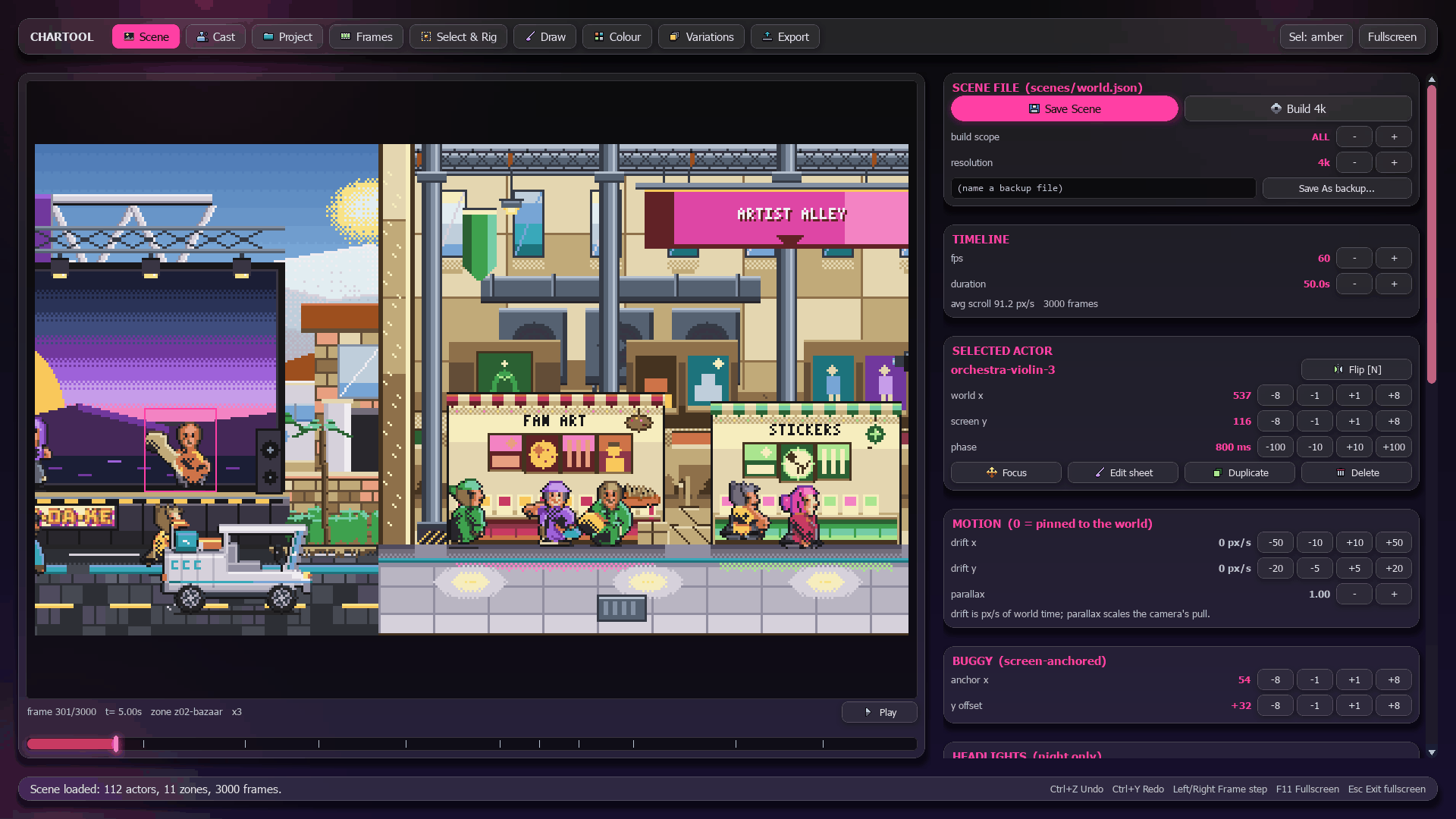
The whole trailer as a live composite. Scrub the 50-second scroll on the timeline, click a figure in the frame to select it (alpha-precise, topmost wins), then drag it, retime its zone, push a parallax rate, or give it a drift in pixels per second so a cameo flies across the scene instead of standing in it. Save writes world.json and runs the scene validator on the way out.
67 characters as data rather than as PNGs. Skin, hair style, hair, top, bottom, cut, build, outer, headgear, prop, programme: pick a row and the preview animates it at its programme's real frame timing on concourse concrete, with 1×, 2× and 4× reference figures on the same ground line.
Per-frame durations in milliseconds, with reorder, insert, duplicate and delete. The timeline strip's cell widths are proportional to each frame's hold.
Pencil, eraser, fill, eyedropper and line, with the palette clamp live. The count reads N/15 and turns red past fifteen, and the master palette below it is the only place a colour can come from, so an out-of-gamut pixel never has to be caught later. It cannot be drawn in the first place.
Smart selection and per-frame deformation, nearest-neighbour and no anti-aliasing anywhere. Cut a shaped region out of a sheet, key it across frames, and it moves as pixels rather than as a resampled image.
Animated colour swaps. A colour track re-maps one palette entry to another across a range of frames, which is how an LED wall cycles or a pennant catches a different light without a second sheet.
Every target is still a master-palette entry, so a swap cannot leave the gamut.
Alt-palette presets, applied at render time and baked only on export. Each preset card shows the ramp it would actually produce, built by putting this sheet's own palette through that preset's table.
Save to the pipeline, plus the two escape hatches that made this tool usable in practice. "Live: every stroke" streams each edit to a second window showing the full composited world, so you watch a pixel land in the scene at the moment you draw it, and it reverts on close unless you saved. "Export AE layers" decomposes the whole trailer into one PNG sequence per layer and per actor, with a manifest and a per-frame grade table, for a compositor who wants the frames rather than the film.
Open anything on disk. A folder of frames, an animated GIF with its own delays, a strip sheet sliced by grid detection, or a trailer asset pair with its real durations. One ingest boundary for every path into the tool, so a source that opens in one tab opens in all of them.
A folder of equal-size frames is kept verbatim; only genuinely ragged input gets bbox-anchored, because re-anchoring pre-aligned frames flattens a walk cycle into a treadmill.
Frame timing
The Frames tab's central idea, rebuilt here on npc-walk-a's twelve-frame walk. Each cell's width is that frame's hold and the gold marker is the playhead crossing them. Select a cell, change its hold, and watch the strip re-flow and the marker dwell.
66 global colours
We picked 66 colours by hand before drawing anything, and nothing in the two weeks that followed was allowed to add a 67th.
They are grouped into fifteen families that already run dark to light, so a surface gets shaded by stepping along its own family rather than by reaching for whatever looks about right. A character draws four of those ramps: skin, hair, top, bottom. True to the hardware, it then has to fit inside fifteen colours in total, outline and held prop included.
The master palette
All 66 down the left. Pick a character and the colours it spends light up while the rest go dark. Then squeeze that sheet below its own budget and watch the figure come apart, to see how colour economy really helped shape our artistic instincts.
Background tiles
Backdrops take the same 15, one tile at a time.
Every parallax strip is cut into 16 × 16 tiles the way a Neo Geo tile map is, and no tile may spend more than fifteen colours, however many the strip carries across its full width. Nothing stores which tile uses which palette. The map below is derived from the pixels every time it is asked for, which is what keeps the check honest across a round trip through the editor.
Tile palettes
The z01-gate far strip under its 16 × 16 grid. Hover a tile, or focus the strip and use the arrow keys, to read that tile's palette. Its fullest tile is 14 colours.
Realism from four rendering passes
Every figure is drawn flat and gets its volume from four passes, in an analog of 3D rendering: relight, contact, dither, outline.
Relight. Every pixel counts how many pixels of its own material lie between it and the light, and that count picks a step down the material’s ramp. The count is a march: step one pixel toward the light, keep going while the material underneath stays the same, stop at seven.
The steps are uneven on purpose. Metal Slug, our gold standrad reference for pixel art quality, never shades evenly. It skips a tone at the turn into shadow and lets the dither pass cover for the one it skipped, and the plateau widths here come from referencing Metal Slug sprite sheets, which spend on average 13% of a figure’s area on lit tones, 35% on mids, and 52% on the two darks plus outline.
The march
Frame 7 of npc-walk-a exactly as the rig leaves it, 32 × 37 pixels, with every pixel's depth written inside it. Drag the magenta probe, or focus the grid and use the arrow keys, and the gold cells are the march that pixel walked. The head carries dots instead of counts because those twelve rows were drawn by hand and relight is forbidden to touch them. Turn the light and watch the near arm hold its own lit edge while the torso behind it re-shades.
Contact. Where a near limb crosses the body, the covered surface drops two ramp steps along the edge facing away from the light. Dropping it to black instead put 18.5% of the figure in black when we measured it, which reads as a hole. Only the far side takes it: shade both and you ring the limb, making it look like a halo.
Dither. The pass that fakes the tone that relight skipped, checkering the two tones either side of the gap in antiphase. Dithering is foundational to pixel art, and here it runs directly off our lighting model.
Outline. A three-tone ring: near-black where the surface faces away from the light, the material’s own darkest tone where it faces into it, and one step up where it presents to the sky. The outward normal is accumulated from whichever four-neighbours are empty, dotted with the light direction, and ties go to shadow, which keeps the underside of a form reading as contact with the ground.
That third tone is why shoulders, hair mass and a forward thigh stop reading as flat-topped cutouts. Again, we counted the reference’s outline pixels by which direction they face, which means some ingenious artist at SNK worked it out by hand 30 years ago and we just implemented the feature in software.
The four passes
On the left, frame 8 of npc-walk-a exactly as it ships in the trailer. On the right, the same frame rebuilt in your browser from joint angles and flat material colour every time you touch a control. Turn a pass off and watch what it was carrying.
depth steps 0,1,1,1,3,3,4,4
The walk cycles
The walk is 12 frames long, and we had to put it on 67 bodies. Fianlly a chnce to use school trigonometry.
Four curve tables drive it: thigh swing, knee flexion, pelvis lift, and shoulder counter-rotation against the hips. Angles are degrees from straight down, positive swinging forward, which puts sine on x and cosine on y and makes frame 0 right-foot contact. Two-bone forward kinematics run twice a leg a frame. The limb is then drawn between the joints as a tapered capsule rather than as a line, so the ramp resolves across its width and a thigh gets a lit edge, a core, and a shadow edge.
The amplitudes are set against Metal Slug 2 rather than against real life. Over its twelve frames, the hostage walk’s widest silhouette spans 34 pixels on a 38-pixel figure and its narrowest 19, and the shape changes frame to frame. A correct, naturalistic, small-amplitude walk at this size is a shuffling rectangle, so every curve here runs about 1.5 times a natural swing.
A body build is four multipliers, because the whole thing is geometry. Change the limb lengths and the knee still lands where a knee lands, and the hip is re-derived afterwards so the lowest foot reaches the row it reached before.
Standing and seated poses invert the problem. A stride is an angle curve; a figure standing still has planted feet and a pelvis that moves, so those programmes solve the chain backwards from the contact point with the law of cosines, and a fold sign picks which of the two answers to take, since a two-bone chain reaching a point can always bend either way. Out of reach it straightens toward the target rather than raising, because a build whose limbs are too short for the ground row should stand up tall.
Both ends of that need clamping. At exactly l₁+l₂ the argument to the arc cosine lands on 1.0, floating point occasionally puts it a hair past, and what comes back is a domain error rather than a straight leg. So reach is clamped a thousandth inside full extension, and the other end is clamped out of the hollow the chain cannot fold tight enough to reach.
Both directions
The same two bones, at the walk programme's real proportions. In forward mode drag either joint and the foot lands wherever the angles put it. In inverse mode drag the foot and the angles fall out of the arithmetic above. Push the foot past the dashed circle to see the degenerate case. Arrow keys work, and shift moves further.
The walk rig
The rig the trailer bakes from, on the trailer's own 32 × 37 canvas, solved live in browser. Drag AMPLITUDE down to 0.4 to meet the shuffling rectangle a naturalistic swing produces at this size. The head is the one part of the figure stamped in from a drawn grid, and the shader is not allowed near it.
One camera move
50 seconds, 3,000 frames, no cuts, no fades, no transitions, and the camera never stops.
It crosses 4,560 pixels at an average of 91.3 px/s. Every zone holds its own customisable dwell time, so the track is one breakpoint per zone boundary, linear inside a segment, with no easing anywhere.
The track
World position against time. The dashed line is the average speed; the aqua polyline is what the camera actually does, with a corner at every zone boundary. Drag anywhere to scrub. The flat run at the right-hand end is the finale where Buggy Boop Boop stops.
Four layers scroll at different rates: far, mid, near, ground. Far and mid are per-zone backdrops, each drawn a full viewport wider than the zone it belongs to, sampled anchored to its own zone, then composited column by column, so every screen column shows the backdrop belonging to whichever zone owns that column’s world position. An enclosed hall’s rear wall therefore fills every column up to its on-screen exit, and the outdoor zone beyond it appears only where it actually is.
Four layers
The z03-ring zone, composited the way the engine does it. Scrub the camera, then push the far and mid rates off to play with the parallax.
Camera speed by zone, in pixels per second, against the 91.3 px/s average.
Day into night, in twenty steps
The sun goes down across the whole 50 seconds, and it is controlled by four numbers in every zone. Each one declares its sky at the top of the frame and at rows 54, 108 and 150.
Between stops those anchors ease in and out of each other, with zero slope at both ends so a zone boundary arrives without a kink in it, and that single curve is the entire mechanism by which morning becomes afternoon becomes sunset becomes night with no cut anywhere in the trailer.
The easing happens in floating point and the ramp is quantised to twenty colours, and only the seams between neighbouring levels are ordered-dithered, which is the trick old consoles used and the reason a Neo Geo sky reads as a gradient when it is twenty flat bands with checkered joins. Below row 150 the horizon colour goes flat, because that is where the buildings start.
20 came out of a measurement. At twenty levels with a seam half-width of 0.16, the rendered sky sits at 18.7% dithered blocks against Metal Slug 2’s sky's band of 16 to 20%, with a median dither pair gap of 7.4 against the reference’s 8. 20 is also the height-adjusted match for the reference’s 28 to 30 colours over a 240-row sky, this one running 150 rows to the horizon. Raise it to thirty and the steps land about two luminance apart while the density climbs to 29%.
The sky ramp
Scrub the trailer's 50 seconds. Drop LEVELS to 4 for the banding, then turn DITHER off to see the seams go hard.
Light in eight-luminance bands
Headlights, lamp pools, the esports wall, the stage rig. Every light in the piece is the same object: a smooth falloff, quantised into bands, dithered on one shared 4 × 4 ordered matrix.
The calibration constant is a luminance per band, 8.0, rather than a band count. A field is added to the frame as level times (R, G, B), so one step is worth the strength over the levels times the colour’s own luminance in the picture. Band on strength alone and the step is fixed in the mask instead, and the two agree only for white. A magenta rig light at the same strength banded at 3.8 luminance a step against a headlamp’s 7.9, one level further down, and that is the exact defect the constant exists to prevent. Coloured lights get fewer and coarser bands than a white one of the same strength.
Truncating a thresholded value dithers the whole range, so a light fades out by thinning rather than ending on a hard ring. The threshold comes off the ordered matrix phased by absolute canvas position rather than by each field’s own origin, which is what lets two overlapping lights share one checker phase instead of beating against each other where they cross.
Light bands
Hold the strength and switch the colour. The band count drops with the colour's luminance while the step luminance stays at 8.0.
The sheets
Thirty of the finished sheets, playing at the timings they were authored with.
Thirty sheets
Frame count, palette size and hold under each. A count in gold is a hero-tier sheet: the strict cap is fifteen colours, and a named character is allowed twenty-four. A sheet marked var holds different frames for different lengths.
The Codebase
35,447 lines.
The render engine that actually makes the frames is 1,985 lines across twelve files, under 6% of the total. The figure system is 9,055 lines, Chartool is 11,099, and the largest single file by a wide margin is worldgen.py at 6,764 lines, one function per zone composing stalls, tents, trusses, bunting and 3 × 5 pixel signage into four parallax strips. The engine stayed small because the hard parts were never in it. They were in making the art, and in enforcing the rules on it afterwards.
The map
One cell per file, width by line count on a square-root scale, because linear gives worldgen.py the whole bar and everything else a sub-pixel sliver. Hover or focus a cell to read it.
world.json
The scene document the trailer renders from, as it is written on disk. Eleven zones, their skies and dwell times, and every actor with its world position and animation programme. Scroll it.